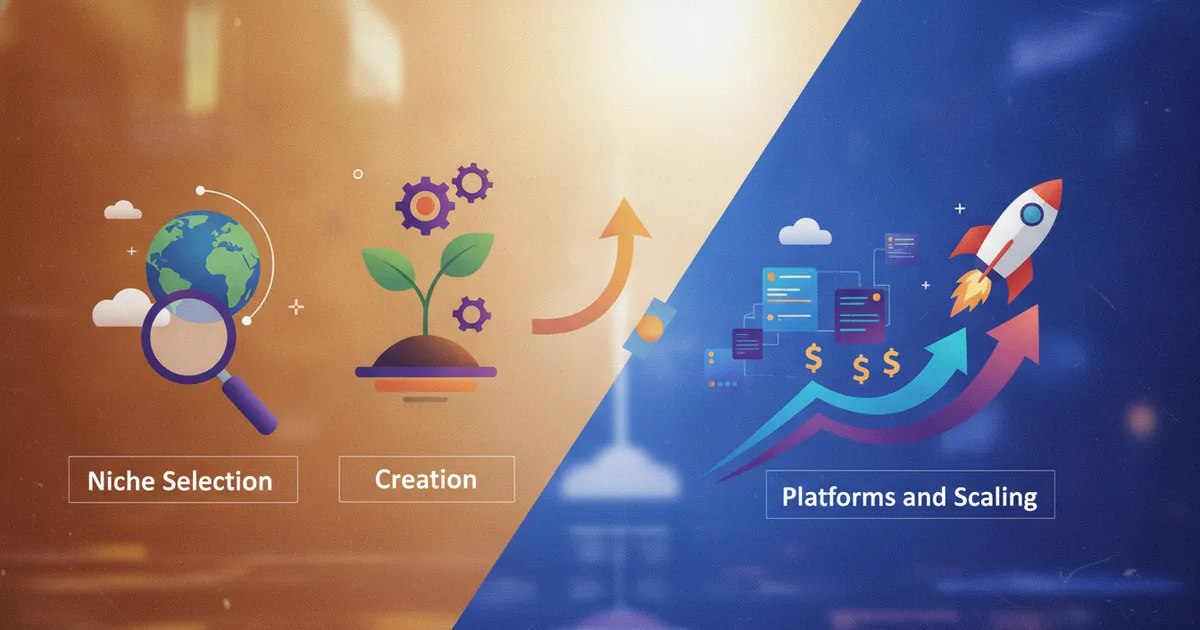
Most people building a side income overlook the one model that requires no inventory, no shipping, and no physical stock: how to sell digital products online. You create the asset once. Then it can be sold hundreds — or thousands — of times with no additional effort per transaction. That structural advantage is why 67% of monetising creators now sell digital products, with profit margins that typically land between 70 and 90%. The creator economy is projected to reach $234.65 billion by 2026, and digital products are one of its primary engines.
That said, this is not a shortcut. What you are building is leverage — a product that works while you sleep, but only after you have done the real work of research, creation, and consistent promotion. If you are exploring the broader landscape of passive income ideas, digital products sit at the top of the list for good reason. This guide walks you through every step honestly: picking a niche, building the product, choosing the right platform, pricing it correctly, getting your first sales, and scaling from there.
Key Takeaways
- Digital products — templates, planners, guides, spreadsheets — can be sold unlimited times with no extra cost per sale, giving you genuine leverage over your time.
- Niche specificity is the single biggest factor separating products that sell from products that sit. Broad beats nobody; specific beats the market.
- Validate before you build. Pre-selling, waitlists, and minimum viable products tell you whether demand is real before you invest serious time.
- Platform choice determines how much of each sale you keep and how much traffic you need to generate yourself. Etsy brings buyers to you; Gumroad and Payhip require you to bring buyers to them.
- Pricing should reflect the outcome you deliver to the buyer, not the hours you spent building the product. Underpricing signals low quality and attracts uncommitted customers.
- Platform risk is real. Use marketplaces for discovery, but build an email list from day one to own your customer relationships.
Table of Contents
- What Selling Digital Products Online Actually Means
- Choosing Your Niche
- Creating Your Digital Product
- Where to Sell Digital Products Online
- Pricing Your Digital Product
- Getting Your First Sales
- Scaling Your Digital Product Business
- Risks, Platform Dangers, and Honest Caveats
- FAQ
What Selling Digital Products Online Actually Means
A digital product is any asset that exists in digital format and is delivered electronically to a buyer. No manufacturing. No postage. No stock to manage. Examples include Canva templates, PDF guides, digital planners, spreadsheets, swipe files, e-books, prompt packs, and online courses.
The model works because of the difference between active and passive income. Active income means every sale requires your direct involvement. With digital products, you can sell to hundreds of buyers simultaneously with zero additional effort per transaction. That is the leverage this model provides.
But let's be precise about the word "passive." The income is not passive at the start. You will spend real time on market research, product creation, listing optimisation, and ongoing promotion. What becomes passive — over time — is the individual transaction. Each sale happens without you needing to be present. That distinction matters when you are deciding whether this is right for you. For a grounded look at how passive income works for beginners, including what "passive" actually means in practice, that guide is worth reading alongside this one.
Why niche digital products outperform generic ones: The broader digital commerce market is expected to surpass $26 trillion by 2034. That scale also means it is crowded at the generic end. A digital download built for a specific person solving a specific problem cuts through the noise. This concept — creating and selling niche digital products — is the thread that runs through every section of this guide.
Choosing Your Niche for Creating and Selling Niche Digital Products
Most beginners approach niche selection backwards. They ask "what can I make?" instead of "who has a specific problem I can solve with a downloadable product?" Flip the question and you flip your odds.
Profitability in 2026 hinges on aggressive niching. Broad products get buried by established sellers with thousands of reviews. Specific products speak directly to one person's exact situation and convert far better.
The Niche Contrast That Makes This Concrete
- Too broad: "Fitness guides" — massive competition, no differentiation, no clear buyer.
- Niched down: "20-minute strength-building plans for busy moms" — specific audience, specific constraint, specific outcome.
- Too broad: "Contract templates" — generic, low perceived value, drowning in competition.
- Niched down: "Legal contracts for wedding photographers" — specific industry, high perceived value, commands a stronger price.
Proven Niche Digital Product Categories
Here are the main categories worth considering, with specific sub-niche ideas for each:
- Canva templates: Social media post kits for real estate agents, media kit templates for micro-influencers, branding kits for new Etsy sellers, pitch deck templates for startups.
- Digital planners: Productivity planners for remote workers, student semester planners, couples' budget trackers, wellness journals for anxiety management.
- Printables: Habit trackers, meal planners, homeschool worksheets, party invitation kits.
- Spreadsheets: Freelancer invoice trackers, rental property cash flow calculators, monthly household budget templates.
- Swipe files and guides: Email sequence templates for coaches, content calendar frameworks for creators, onboarding document packs for virtual assistants.
- AI-related digital products (emerging, high-demand niche): AI skills guides for non-technical professionals, industry-specific AI prompt packs (e.g., "50 ChatGPT prompts for real estate agents"), and AI audit templates that help small businesses identify where to integrate AI into their workflows. This sub-niche currently has high demand and manageable competition — a rare combination. For a broader look at how AI is reshaping side income, the guide on AI-powered side hustle ideas for content creation covers how creators are monetising these skills right now.
How to Identify a Niche With Real Demand
- Search Etsy for your product idea. Look at top-selling listings. How many reviews do they have? Are the listings recent? High review counts confirm real buyer activity. Over 100 listings with strong reviews signals a healthy, active market. Hundreds of nearly identical listings with the same design style is a saturation warning.
- Use Pinterest's search bar — type a keyword and study the autocomplete suggestions. These are real searches by real people. The specific variations being suggested tell you exactly what sub-niches people are looking for.
- Browse Reddit communities and Facebook Groups in your target market. What do people complain about not being able to find? What templates or tools do they repeatedly ask for recommendations on?
- Look at what is already selling, then ask: how can I make this more specific, more visually polished, or more tailored to a sub-audience that isn't yet well served?
Validate Before You Build
The most common reason for failure is not a bad idea, but the failure to validate it before spending significant time building. This step is non-negotiable.
People saying "that's a great idea!" is not validation. People paying for it — or committing to a waitlist — is validation.
Three practical validation methods:
- Pre-sell: Announce the product before it is finished. Describe what it does and offer it at a launch price. If people pay, you have a green light. If nobody buys, you have saved yourself weeks of wasted effort.
- Build a waitlist: Describe the product clearly and ask people to sign up to be notified when it is ready. Measure actual sign-ups, not vague expressions of interest.
- Build a Minimum Viable Product (MVP): Create a bare-bones version of the product and test it with a small group of real potential buyers. Gather their feedback before investing time in a polished final version. Real usage data from early adopters is worth more than any amount of positive speculation.
Creating Niche Digital Products Like Canva Templates or Digital Planners
What separates products that sell consistently from products that collect dust is not just visual design. It is whether the product solves a real, specific problem in a way that feels effortless for the buyer to use the moment they open it.
Canva Templates: Step-by-Step
Canva has over 220 million monthly active users — a massive built-in market for template sellers. You can use Canva Video to add motion and animation to your templates, which significantly increases perceived value and makes listings stand out visually. Here is the creation process:
- Open Canva (a free account is sufficient to start). Select the correct dimensions for your product type — Instagram post: 1080x1080px, A4 document: 210x297mm, LinkedIn banner: 1584x396px.
- Design your template using Canva's free elements, fonts, and layout tools. Use consistent brand colours and fonts that are straightforward for a buyer to swap out. Clean, professional aesthetics outperform busy, over-designed layouts.
- Understand the licensing rules. You cannot resell Canva's own pre-made templates or give away Canva's premium elements on a standalone basis. Your product must be an original design that you built inside Canva. Using licensed elements improperly can result in your store being shut down. This is one of the most common mistakes new sellers make — do not skip reading Canva's content licence policy.
- Share as a Canva template link. Once your design is complete, share it using the "Share a template" function. This allows buyers to open and edit your design in their own Canva account without altering your master version. This is the standard, expected delivery method for Canva templates.
- Package the delivery. Paste the template link inside a branded PDF document that buyers receive immediately after purchase. Include clear, numbered instructions for how to access and use the template.
Quality tip: Create a bundle of 5 to 10 template variations in a matching style set rather than a single template. Bundles carry significantly higher perceived value and justify a stronger price point. Test every template yourself as if you were a first-time buyer — is it intuitive to edit? Are the fonts replaceable? Does it work on a free Canva account?
Digital Planners: Tools, Format, and What Buyers Actually Want
Digital planners are typically delivered as interactive PDF files with clickable navigation tabs and fillable fields, or as hyperlinked Google Slides or PowerPoint documents.
Tools to build digital planners:
- Canva — for clean layout design and visual styling.
- Google Slides or PowerPoint — for building hyperlinked interactive planners with tab navigation.
- Adobe InDesign or Affinity Publisher — for advanced, print-ready layouts.
What buyers want: Clear organisation, functional layouts that make sense at a glance, aesthetically pleasing design, and easy page navigation. Popular formats include daily spreads, weekly layouts, monthly overviews, and habit trackers.
Critical technical note for Etsy sellers: Etsy has a 20MB file size limit for direct uploads. Large interactive planners routinely exceed this. The standard workaround is to upload a small placeholder PDF to the Etsy listing — containing a thank-you note and a clickable download link — that points the buyer to the full planner hosted on Google Drive or Dropbox. This is accepted practice and expected by experienced buyers.
File Formats and Packaging
- PDF: Universal, works for printables, guides, planners, and swipe files. The most compatible format across all devices.
- ZIP file: Use when delivering multiple files — for example, a pack of 10 Canva template links bundled together with a usage guide PDF.
- Canva template link: Delivered inside a PDF instruction document, not as a raw URL in a listing description.
Always include a brief instruction document with every purchase. A clear, one-page "how to use this" guide reduces customer service queries significantly, protects your review score, and sets a professional tone from the first interaction.
Quality Standards
Look at the top 5 bestselling products in your specific niche on Etsy. That is your quality benchmark. Your product should be visually in that range before you list it — not after.
Ask someone unfamiliar with the product to test it cold. If they cannot figure out how to use it within two minutes without asking you a question, simplify it. Spelling errors, misaligned design elements, and incomplete layouts are the fastest route to a one-star review.
If you want to improve your design and technical skills before creating your first product, Skillshare has a strong catalogue of courses covering Canva design, digital product creation, and Etsy shop setup — worth exploring before you invest significant time building your first product.
Where to Sell Digital Products Online
Where you sell matters as much as what you sell — especially when you are starting without an existing audience. Some platforms bring buyers to you. Others expect you to bring buyers to them. Neither model is universally better; the right choice depends on where you are in your business. For a broader look at the range of digital products you can sell online — including courses and eBooks alongside templates — that guide covers the full landscape.
| Platform | Built-in Audience | Fee Structure | Net Profit on $25 Sale | Best For | Key Drawback |
|---|---|---|---|---|---|
| Etsy | Very Large (95M+ active buyers) | ~16% combined fees (listing + transaction + payment processing) | ~$20.85 | Beginners with no existing audience | Highest fees; very competitive; 12M+ sellers on platform |
| Gumroad | None — you bring the traffic | 10% flat fee | ~$22.50 | Creators with an existing audience or email list | No built-in discovery; you own all marketing responsibilities |
| Payhip | None — you bring the traffic | 5% fee on free plan | ~$23.75 | Highest net margin; simple, fast setup | No built-in discovery; you own all marketing responsibilities |
| Own Website (Shopify / WooCommerce) | None — you build it over time | Payment processor fees only (~3%) | ~$24.25 | Long-term brand building; full control over customer relationships | Slowest to build traction; requires sustained SEO and marketing investment |
Platform fee structures have a direct impact on your profitability, and the difference compounds quickly at volume. Selling 100 units per month on Payhip versus Etsy means roughly $290 more in your pocket — on the exact same product at the exact same price.
The recommended starting strategy: Begin on Etsy for the built-in discovery engine. Simultaneously build an email list from every buyer. Over time, migrate your best-selling products to a direct channel — Payhip, Gumroad, or your own site — where you keep a larger share of every sale and own the customer relationship outright.
ClickBank University is worth exploring if you eventually want to move into affiliate-driven distribution for your digital products — their training covers both product creation and affiliate recruitment, which can dramatically accelerate sales once your product is established.
Pricing Your Digital Product
Underpricing is one of the most common and most damaging mistakes new digital product sellers make. A $3 Canva template signals "low quality" before a buyer even clicks. A $27 Canva template bundle signals "this person knows what they're doing."
Price based on the outcome you deliver to the buyer — not the hours you spent building the product. A wedding photographer who buys a $45 contract template pack saves hours of legal stress and potentially thousands of dollars in disputes. The value to them is not "45 minutes of someone's design time." The value is peace of mind and professional credibility.
Pricing Benchmarks by Product Type
| Product Type | Typical Price Range | Bundle Premium |
|---|---|---|
| Single Canva template | $5 – $15 | Low — hard to justify premium pricing alone |
| Canva template bundle (5–10 designs) | $19 – $45 | Strong — bundles command disproportionately higher prices |
| Digital planner (standard) | $9 – $27 | Mid — add bonus pages to justify higher end |
| Niche spreadsheet tool | $15 – $49 | High — functional tools command strong prices |
| Swipe file / guide | $17 – $67 | High — information and frameworks have strong value perception |
| AI prompt pack (niche-specific) | $12 – $39 | Mid-high — specificity drives price |
Psychological pricing tactics that work:
- Price anchoring: Show a higher original price crossed out, with the current price alongside. This makes the actual price feel like a deal without you discounting the product's perceived quality.
- Tiered bundling: Offer a single item, a mid-tier bundle, and a premium bundle. Most buyers gravitate to the middle option — which is exactly where you want them. Structure your mid-tier bundle to have the best margin.
- Charm pricing: $27 outperforms $30. $47 outperforms $50. The psychological effect of ending in 7 or 9 is well-documented and still works.
Getting Your First Sales
The hardest sales are the first ten. Before you have reviews, you have no social proof. Your job in the beginning is to get those first ten sales by any means necessary — discounts to early buyers, gifting the product to micro-influencers in your niche, or direct outreach to your existing network. If you are still deciding whether a digital product business is the right side hustle for 2026, that breakdown compares it against other models honestly.
Etsy SEO: The Foundation
If you are selling on Etsy, your listing title, tags, and description are the primary mechanism that determines whether buyers find you. Etsy's search algorithm rewards relevance and conversion rate. If people click your listing and buy, Etsy shows it to more people. If they click and leave, you drop.
- Include your primary keyword in the listing title near the front — not buried at the end.
- Use all 13 available tags. Use long-tail, specific phrases — not single generic words.
- Write your description for the buyer first, the algorithm second. Explain clearly what they get, how they use it, and what problem it solves.
- Use high-quality mockup images. Your first image is the thumbnail — it is the only thing standing between a scroll and a click. Invest real time here.
Pinterest as a Free Traffic Engine
Pinterest is a search engine, not a social network. Pins have a long shelf life — a single pin can drive traffic months after posting. Create keyword-rich pins linking directly to your product listings. Consistency matters more than volume: 5 solid pins per week outperforms 50 rushed ones.
Short-Form Video for Reach
TikTok, Instagram Reels, and YouTube Shorts all favour content that shows how things work. A 30-second clip showing the before and after of your Canva template — someone personalising a generic post into a branded, professional piece — is compelling content that drives genuine purchase intent. Use Canva Video to create polished, animated preview clips of your templates. You do not need a large following for a single video to reach thousands of relevant buyers.
Email List From Day One
Every buyer who purchases through a marketplace is technically the platform's customer, not yours. Etsy does not let you email their buyers freely. Build your own list from day one by including a link to a freebie or bonus resource in your product delivery PDF — something that requires the buyer to opt in with their email address to receive it. This is how you convert marketplace buyers into direct subscribers you can reach forever, regardless of platform algorithm changes.
Scaling Your Digital Product Business
Once you have a product that sells consistently, scaling is a matter of adding products, adding channels, and reducing the manual work involved in delivery and marketing.
Product Expansion
Build a product ecosystem, not a single isolated item. If your "Instagram post templates for real estate agents" sells well, the natural next products are: story templates, listing flyer templates, email signature templates, and a content calendar for the same audience. Each product reinforces the others and raises the average customer lifetime value. For a structured walkthrough of how to start a digital product business from scratch — covering business setup, tools, and systems — that step-by-step guide picks up where this section leaves off.
Automation
Once your shop has traction, automation removes the manual friction from your workflow. Tools like Zapier and Make can automate post-purchase sequences — sending welcome emails, delivering bonus content, triggering review request messages at the right time — without you touching anything manually. These tools connect your storefront, email platform, and file delivery system, so the entire buyer journey runs automatically.
Affiliate and Referral Programmes
Gumroad and Payhip both support affiliate programmes natively. Recruit buyers who loved your product to refer others, and offer them a commission on each resulting sale. This extends your marketing reach without requiring your time directly. Combined with the ClickBank University distribution model, this approach can build a meaningful referral network around niche digital products.
Expand to Additional Platforms
Once you have validated your product and established a review base, expand to additional channels: Creative Market, Teachers Pay Teachers (for educational printables), and your own website running on Shopify or WooCommerce. Each new channel is a new discovery stream for the same product you have already built.
Risks, Platform Dangers, and Honest Caveats
This model is real and it works — but there are specific risks most guides gloss over. Here they are, without softening.
Market Saturation in Popular Niches
The low barrier to entry that makes digital products accessible also means popular niches — generic social media templates, basic daily planners — are genuinely oversaturated. Standing out on a platform like Etsy, with over 12 million active sellers, requires genuine niche specificity, superior visual quality, and compelling listing photography. "Good enough" does not earn sales at scale in a saturated category. Specific and excellent does.
Platform Risk Is Real
Etsy owns the customer relationship, not you. They can change their fee structure, suppress your listings in search, or suspend your account. This has happened to established sellers without warning. Do not build your entire business on a single platform. Use marketplaces for discovery and traffic. Build your email list and your own direct sales channel in parallel from day one. Your email list is the only audience you truly own.
Intellectual Property and Licensing
Beyond the Canva licensing issues already covered, be careful with any stock imagery, fonts, or design elements you use in your products. Not all "free" assets are licensed for commercial resale. Check the licence on every element you include. A takedown notice for a bestselling product is a problem you can entirely avoid by being careful upfront.
The "Passive Income" Over-Promise
Many courses and creators online dramatise the ease and speed of making money from digital products. It is a real and viable income stream — but it is also a real business that requires market research, product development, ongoing SEO, active marketing, and customer service. Treat it like a business from the start and you will build something that lasts. Treat it like a lottery ticket and you will spend money on tools and courses and get nothing back.
FAQ
Is income from selling digital products online truly passive?
No — not at the start, and not entirely even once established. Selling digital downloads requires significant upfront work: research, product creation, listing optimisation, and launch marketing. Ongoing effort is needed for marketing, customer service, and keeping products updated. What becomes passive over time is the individual transaction — each sale can happen without your direct involvement. That is genuine leverage, but it is not a hands-off shortcut.
How much can you realistically earn selling digital products?
Income varies significantly depending on niche, product quality, marketing effort, and how long you have been selling. A beginner selling low-priced printables might earn a few hundred dollars per month. Established creators with engaged audiences and strong Etsy SEO can generate several thousand dollars per month from digital product sales alone. Some Canva template sellers report earning over $2,000 per month as a side income. There is no single number — the range is too wide. Treat any specific income claim you see online with healthy scepticism.
Do you need a large social media following to start selling digital products?
No. For people starting without an existing audience, a marketplace like Etsy is the recommended entry point because it has a large, built-in stream of buyers actively searching for products. You do not need to bring traffic — the platform does that for you, in exchange for fees. Platforms like Gumroad and Payhip are better suited for sellers who already have an audience or email list to direct to their products. The smart strategy is to start on a marketplace for discovery, then build a direct sales channel alongside it.
What is the best platform for selling digital products online as a beginner?
Etsy is the most practical starting point for beginners with no existing audience. It has over 95 million active buyers and requires no external marketing to begin generating traffic. The trade-off is higher fees — roughly 16% combined — and significant competition. Once you have reviews and a proven product, expanding to Payhip or Gumroad gives you better margins on existing traffic. Long-term, owning your own website is the most secure and profitable model, but it requires the most upfront investment in SEO and audience building.
Can you sell digital products without any design skills?
Yes, though your options narrow. Canva is genuinely beginner-friendly and a free account is sufficient to create sellable templates. The more honest answer is that design quality matters — buyers compare visuals before they compare anything else. If you are not confident in design, spend time on Skillshare or YouTube learning Canva basics before listing. Alternatively, consider product types where design is less central — spreadsheet tools, swipe files, written guides, or prompt packs — where the value is in the content and structure, not the aesthetics.
What are the biggest mistakes new digital product sellers make?
The most common are: building a product without validating demand first; choosing a generic, oversaturated niche; underpricing the product out of uncertainty; neglecting Etsy SEO so the listing never gets found; and failing to build an email list, which leaves the entire business at the mercy of platform algorithm changes. Most of these mistakes are avoidable with the research and validation steps outlined in this guide.
How do I handle customer service for digital products?
Include a clear instruction document with every purchase. This single step eliminates the majority of "I can't access my file" queries. For Canva templates, include a numbered guide explaining exactly how to open the template link and edit it. For digital planners, explain how to download the file and which apps support interactive PDF features. When a customer does contact you, respond within 24 hours. A single fast, helpful response can turn a confused buyer into a five-star reviewer.
Is it worth building your own website to sell digital products?
Yes — eventually. Your own website, running on Shopify or WooCommerce, gives you the highest net profit per sale, full control over the customer experience, and zero platform dependency risk. The drawback is that you must build all of your own traffic through SEO, email marketing, and social content. For most people starting out, the right sequence is: launch on Etsy first to validate the product and build reviews, then add a direct sales channel — Payhip is the simplest — and grow your own site alongside it as your audience and email list expand.
Recommended tools & courses
- Canva Video — Canva's drag-and-drop video editor — make social videos, ads, and client content fast, then earn through content or freelancing.
- Zapier — Automates repetitive tasks between your apps — new sale, new lead, new post — so you spend more time on paid work, not busywork.
- Make — Visual automation builder for complex, branching workflows — more automation power per dollar than Zapier once you're comfortable with the builder.
- Skillshare — Freemium platform of creative and business classes, popular for creators teaching design, freelancing, marketing and craft skills.
- ClickBank University — Training on creating and selling digital products, or promoting other people's products as an affiliate on ClickBank.
Some links above are affiliate links — we may earn a commission at no extra cost to you.